The original arcade game
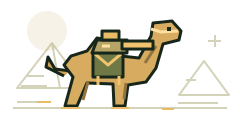
Released in 1998, the sequel adds Eri and Fio, the Camel Slug and mummy transformations.
SNK’s official series history provides the release background. This collection presents 6 main missions for this title; it does not add a mission-selection menu to the original arcade campaign.
Explore every mission
Open a mission briefing for campaign order, encounter references and a focused practice plan. Play opens the selected game; the original arcade campaign determines which mission comes next.
Try the expanded character selection
Choose your character after starting the arcade session, then work through six main missions. On a phone, place B / JUMP and A / FIRE where you can reach both without lifting your movement thumb. The A / FIRE button changes to START or CONTINUE when needed. Use A / FIRE to confirm the character screen.
Movement changes with the situation
Treat a transformation or vehicle sequence as a new set of movement constraints. A held direction does not override the original arcade rules. If touch controls feel unfamiliar, pause and switch between joystick and directional buttons before continuing.
Play it in this browser collection
The Play button opens the homepage with Metal Slug 2 selected. Choose Play Solo to download and open that title, or Host Two Players to begin a local co-op session. Press the bottom A / FIRE button when it says START, or press Enter, to enter the original game. The same button says CONTINUE when lives run out; starting and continuing include free credits.
Controls overlay the picture on phones and tablets. The equal-sized circular actions are A / FIRE, B / JUMP, C / BOMB and D / SLUG, with 70% opacity for new layouts. Your saved settings remain in effect. Choose Full width or Original proportions, then adjust button size, opacity and placement in Options & Controls. The mobile guide explains each setting. Two-player co-op uses invite and reply codes on the same Wi-Fi or hotspot; Bluetooth is not supported.
Continues, sound and saved progress
For solo sessions, pause to Save State and use Load State in the same browser later. Saves are local and may be affected by browser storage cleanup or game updates. Multiplayer sessions do not offer save-state controls.
Converted audio is available, with some effects still being verified. Read the progress and offline guide before closing a session or playing without a connection.